Shortcuts: Codifying the Work You Already Do
Shortcuts are prebuilt commands that eliminate the friction between knowing what you want and getting it done. Define your task once, invoke it anywhere, and let the structure do the work.
Most of the time spent in deal execution isn't spent thinking. It's spent doing the same task you did last week, with slightly different inputs. Auditing a model against a memo. Building a TAM analysis from scratch. Drafting the same style of email to a new contact. The cognitive work happened the first time you figured out how to do it well; everything after that is execution.
Shortcuts are designed for exactly this pattern. They're prebuilt commands—think of them as saved prompts with structure—that you can invoke in chat to run repetitive workflows without reconstructing the logic each time. The goal isn't to automate judgment. It's to eliminate the friction between knowing what you want and getting it done.
How It Works
Shortcuts live in your Settings page. You can build them from scratch or modify examples to fit your workflow. Each shortcut has a trigger (like /audit or /tam) and a set of instructions that define the task, the expected inputs, and the output format you want.
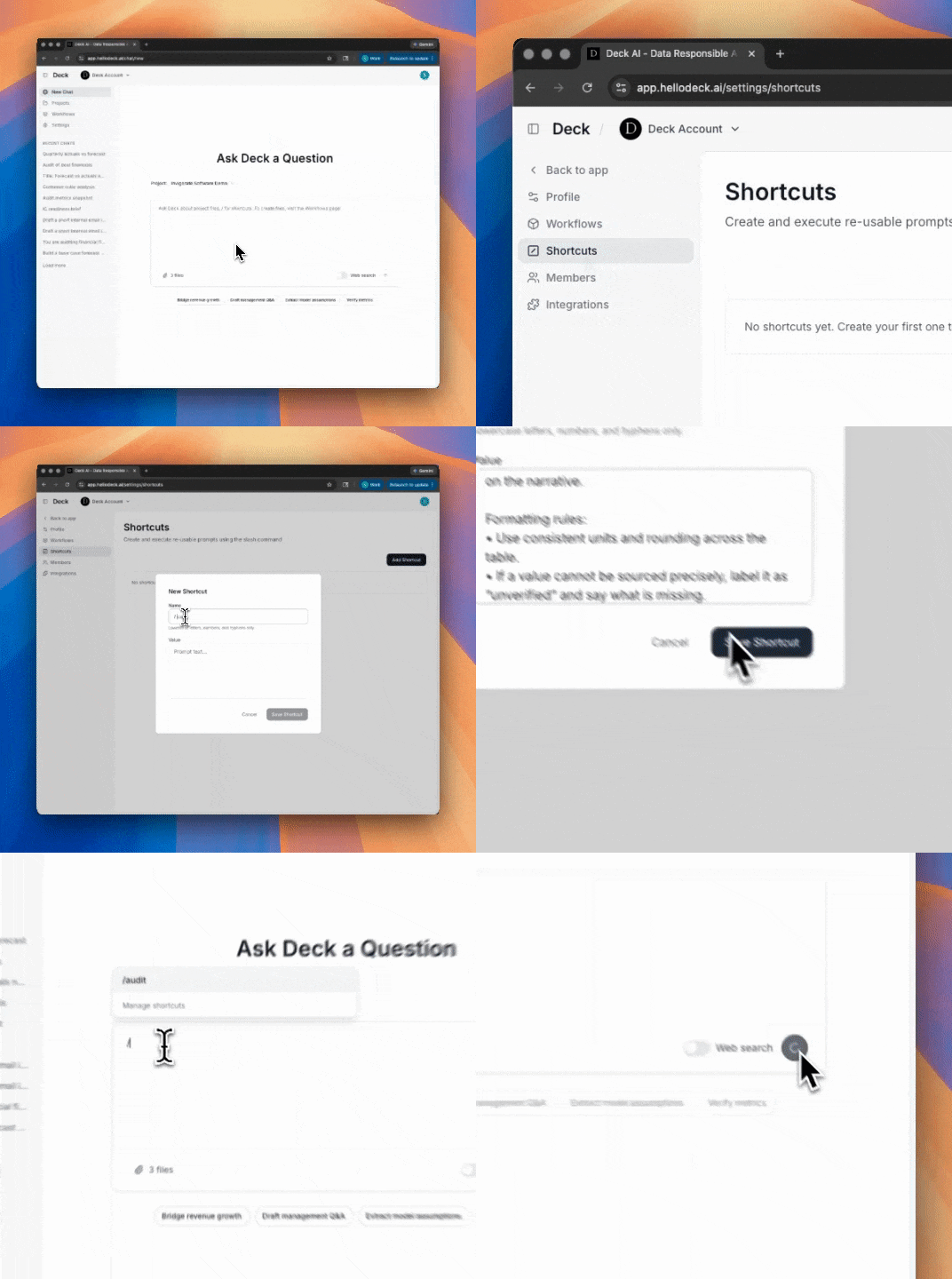
When you invoke a shortcut in chat, it runs against whatever context you've provided—uploaded files, pasted text, prior conversation. The output follows the structure you defined, which means you're not re-explaining your preferences every time.
Two Examples Worth Stealing
Financial Audit: /audit
This shortcut handles the tedious but critical work of tying out numbers across deal materials. You feed it some combination of a financial model, an IC memo, and an investor deck. It extracts key metrics, normalizes naming conventions and time periods, and produces a tieout table that flags meaningful discrepancies—not every rounding difference, but the deltas that could affect the narrative.
You are auditing financial figures across deal materials. Inputs will include
some mix of: 1) financial model spreadsheet 2) IC memo or draft writeup
3) investor deck or CIM

Task:
1) Extract the key financial metrics and KPIs found across the materials.
2) Normalize names and periods so like is compared to like.
3) Produce a tieout table with:
   • Metric
   • Period
   • Value in model (with sheet name and cell reference when available)
   • Value in memo or deck (with page number or section reference when available)
   • Delta
   • Notes on why it differs (rounding, definition, timing, segment vs total, etc)
4) Only flag deltas that matter, use a clear threshold and state it.
5) End with a punch list of fixes, ordered by impact on the narrative.

Formatting rules:
• Use consistent units and rounding across the table.
• If a value cannot be sourced precisely, label it as "unverified" and say
  what is missing.
Bottoms-Up TAM: /tam
Market sizing is one of those tasks where the structure matters as much as the numbers. This shortcut builds a bottoms-up TAM analysis from public data, forcing explicit assumptions at each step: who the customer is, how the market segments, what adoption looks like, and what the realistic near-term serviceable portion might be.
Build a bottoms up TAM analysis using public data.

Task:
1) Define the customer unit (who pays, what qualifies).
2) Identify the simplest segmentation that matches how the market actually buys.
3) For each segment, estimate:
   • count of target customers
   • realistic adoption rate
   • annual spend per customer (or pricing proxy)
4) Compute TAM, then a more realistic near term serviceable market.

Requirements:
• Use public sources and cite them with links.
• Show assumptions clearly and keep math transparent.
• Provide a high, base, and low case driven by specific assumption ranges.
• End with the 5 assumptions that most affect the result and what data would
  tighten them.
The value here isn't just speed—it's consistency. Every TAM analysis follows the same logic, which makes them comparable across deals and easier to pressure-test.
Building Your Own
The examples above are starting points. The shortcuts that matter most are the ones tailored to how your team actually works: your memo format, your diligence checklist, your standard email templates. The pattern is the same: define the task, specify the inputs, describe the output structure, and set the quality bar.
Once you've built a few, the "do this again" tasks start to feel automatic. Which is the point.